The Sessions & Programs block gives you access to 10 standard categories and more than 90 carefully composed NeuroSync Pro sessions. First select a category to view its sessions. Each session displays its total duration and a short description of its purpose and content.
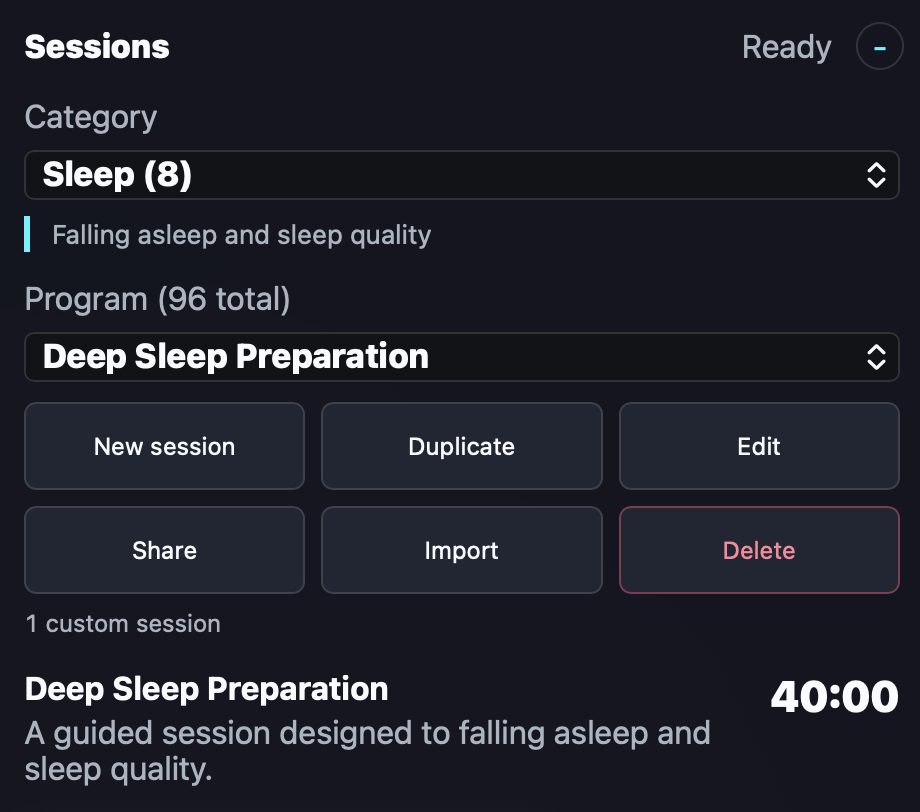
Choosing a session
- Open the Sessions & Programs block.
- Select one of the 10 categories.
- Browse the sessions in the selected category.
- Check the duration and read the short description.
- Select the session you want to use.
The buttons and management features shown depend on the NeuroSync Pro edition you use.
Features by edition
| Edition | Share | Import | Delete | Create | Duplicate | Edit |
|---|---|---|---|---|---|---|
| Personal | No | No | No | No | No | No |
| Audio | Yes | Yes | Yes | No | No | No |
| Audio+Light | Yes | Yes | Yes | Yes | Yes | Yes |
NeuroSync Pro Personal
The Personal edition lets you use the included sessions. It does not provide features for importing, sharing, deleting or editing programs.
NeuroSync Pro Audio
The Audio edition provides the Share, Import and Delete buttons. You can use them to:
- exchange programs with other NeuroSync Pro users;
- import new programs;
- delete programs that were imported previously.
NeuroSync Pro Audio+Light
The Audio+Light edition includes all Audio features and adds extended program management. The top row of buttons lets you create programs, duplicate existing programs and edit your own programs.
A separate program page is available within the software for composing and modifying programs.
Exchanging programs
Both the Audio and Audio+Light editions support importing, sharing and deleting not-standart programs. This makes it easy to exchange sessions with other NeuroSync Pro users and manage imported programs.